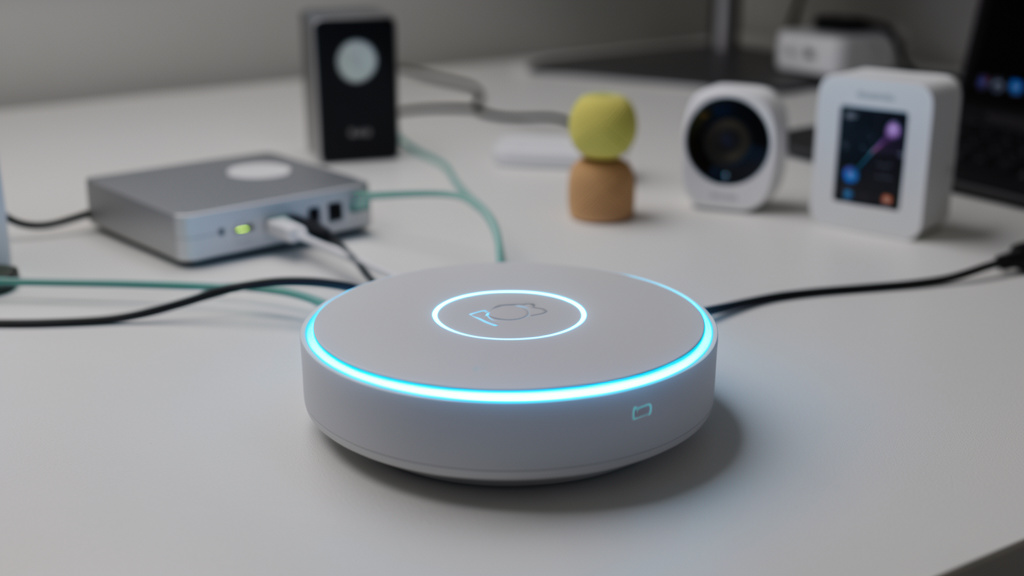
Move Beyond App Overload—Build a Cohesive Digital Ecosystem That Actually Works for Your Family’s Real-Life Rhythms
You’ve downloaded the chore app. You’ve synced the smart lights. You’ve set calendar reminders for filter changes. Yet somehow, managing your home feels more complicated than before. Notifications pile up. Devices disconnect. Family members ignore the system. This isn’t failure—it’s fragmentation. True digital home management isn’t about collecting more tools; it’s about weaving technology into the fabric of daily life so seamlessly that friction dissolves. This guide delivers a comprehensive framework designed not for tech enthusiasts, but for real households navigating school runs, work deadlines, aging parents, and the beautiful chaos of shared living. Forget isolated hacks. Here, you’ll discover how to build a resilient, human-centered digital ecosystem that adapts to your rhythms—not the other way around.
Introduction
Walk into any modern home today, and you’ll likely find a silent symphony of digital threads: a grocery list shared across three phones, a thermostat learning bedtime routines, a calendar color-coded for four different schedules, a security camera checking in on an elderly relative. These tools promise simplicity, yet for most families, they create a new kind of labor—digital housekeeping. The mental load of maintaining disconnected apps, troubleshooting incompatible devices, and guiding reluctant family members through yet another “system” often outweighs the benefits. This tension isn’t your fault. It stems from a critical gap in how digital home management is presented: as a series of isolated product recommendations rather than an integrated practice.
Common patterns in household technology adoption reveal a consistent truth: sustainable digital home management succeeds not through perfect technology choices, but through intentional design aligned with human behavior. Households that thrive share three traits—they start with clear purpose before purchasing tools, they prioritize interoperability over brand loyalty, and they build systems flexible enough to evolve with life’s inevitable changes. This guide synthesizes these patterns into an actionable methodology. We move beyond the “best app” lists saturating search results to address the deeper questions rarely answered: How do I get my teenager to actually use the chore tracker? What happens when Grandma visits and can’t operate the voice assistant? How do I avoid waking up to a flood of app notifications?
Digital home management, at its core, is stewardship. It’s using technology to protect what matters most—time with loved ones, peace of mind, the quiet dignity of a smoothly running household. This isn’t about achieving a Pinterest-perfect smart home. It’s about crafting a digital environment that recedes into the background, quietly supporting your family’s unique flow. Whether you live in a studio apartment with one smart plug or a multi-generational home with numerous connected devices, the principles in this framework apply. Your journey begins not with a shopping cart, but with clarity.
The Harmony Framework: Three Layers for Lasting Integration
Most digital home guides operate on a single plane: Buy this app. Connect this device. They ignore the foundational work required for longevity. The Harmony Framework corrects this by operating across three interdependent layers—Foundation, Integration, and Evolution. Skipping Layer 1 (Foundation) is a primary reason why many smart home initiatives lose momentum within the first couple of years, as commonly observed in household technology adoption patterns. Layer 2 (Integration) transforms isolated tools into a responsive nervous system for your home. Layer 3 (Evolution) ensures your system grows with you, not against you. This isn’t linear; it’s cyclical. You’ll revisit each layer quarterly, annually, after major life events. Mastery lies in the rhythm of return.
Layer 1: Foundation – Purpose Before Products
Before a single app is downloaded or device unboxed, we establish non-negotiable anchors. This layer answers: Why are we doing this? For whom? What does “working” actually look like? Without this clarity, technology becomes a solution in search of a problem—a recipe for burnout.
Step 1: Conduct the Household Pain Point Audit
Gather everyone who lives in the home (yes, including children over age six and elderly residents). Use a simple shared document or whiteboard. Ask three questions:
1. What’s one recurring frustration about how our home runs? (e.g., “I never know if the garage door is closed,” “We constantly run out of coffee,” “Who’s supposed to take out the trash tonight?”)
2. What’s one small win that would make your day easier? (e.g., “Lights turning on when I pull into the driveway,” “A single place to see all after-school activities,” “Knowing when the laundry is done without checking.”)
3. What technology have we tried before that failed? Why? (This is critical. Past failures hold the blueprint for future success.)
Why this step is crucial: This audit surfaces actual pain points versus perceived ones. A parent might assume the family needs a complex meal-planning app, while the real friction is simply not knowing who’s home for dinner. Document every response verbatim. Patterns will emerge—often around communication gaps, forgotten tasks, or safety anxieties. These patterns become your selection criteria for tools.
Common mistakes to avoid:
– Leading the witness: Don’t say, “Wouldn’t a smart lock be great?” Ask open-ended questions.
– Excluding voices: A child’s frustration about “not knowing whose turn it is for dishes” is as valid as an adult’s concern about HVAC efficiency.
– Rushing: Spend 20 minutes. This investment prevents months of misaligned effort.
Real-life example: The Chen family (two working parents, twins age 10, grandmother living with them part-time) discovered their top pain point wasn’t “managing chores” but “avoiding morning arguments about backpacks and lunches.” Their solution wasn’t another chore app—it was a shared visual checklist in the kitchen synced to a tablet, with photos for Grandma who isn’t fluent in English. The purpose was reducing morning stress, not digitizing chores.
Step 2: Define Your Non-Negotiables
From the audit, distill 3–5 core principles that any tool must honor. These are your filters. Examples:
– Privacy First: “No device may record audio/video in bedrooms or bathrooms.”
– Universal Access: “Every adult must be able to operate core functions without a smartphone.”
– Low Notification Load: “System alerts must remain minimal and actionable.”
– Budget Boundary: “Total monthly subscription costs align with our household priorities.”
– Inclusivity: “Solutions must accommodate Grandma’s limited tech comfort and Dad’s colorblindness.”
Why this step is crucial: Non-negotiables prevent shiny-object syndrome. When a new app promises “revolutionary chore tracking!” but requires daily photo uploads (violating Low Notification Load), you instantly know it’s not for you. These principles become your compass during overwhelming product research.
How to do it correctly: Phrase non-negotiables as positive constraints. Instead of “No complicated apps,” try “All core tools must have a one-tap action for daily use.” Involve the whole household in ratifying these. When Grandma says, “I need big buttons,” that becomes a documented requirement—not an afterthought.
Counter-example: The Rivera household bought a premium smart home hub because it had “the most integrations.” They ignored their non-negotiable: Universal Access. The app required complex gestures Grandma couldn’t manage. Within weeks, she reverted to handwritten notes, fracturing the system. The tool wasn’t “bad”—it violated their foundational principle.
Step 3: Map Your Digital Zones
Homes aren’t monoliths. Different areas have different needs. Sketch a simple floor plan (stick figures are fine!). Label zones with their primary digital purpose:
– Command Zone: (e.g., kitchen counter, entryway) – High-traffic area for quick checks/actions. Needs glanceable info (tablet, smart display).
– Sanctuary Zone: (e.g., bedrooms, living room sofa) – Low-interruption space. Automation should be subtle (motion-activated nightlights, not voice assistant prompts).
– Utility Zone: (e.g., garage, laundry room, basement) – Task-focused. Benefits from sensors (washer done alerts, garage door status).
– Connection Zone: (e.g., dining table, family room) – Human interaction priority. Technology should be minimal or hidden (no notifications during dinner hours).
Why this step is crucial: This prevents technology from invading sacred spaces. Placing a buzzing smart display in the bedroom (a Sanctuary Zone) guarantees abandonment. Mapping zones ensures tools serve the space’s purpose, not the other way around.
Nuance to consider: Zones shift with time and season. The living room is a Connection Zone at 7 PM but a Command Zone during morning routines. Your system must accommodate temporal flexibility—like scheduling “Do Not Disturb” modes for Sanctuary Zones after 9 PM or adjusting lighting automation for shorter winter days.
The Fundamental Principle: Technology should amplify human intention, not replace human connection. A system that creates more anxiety than it solves has failed its primary purpose.
Layer 2: Integration – Weaving the Digital Tapestry
With Foundation solidified, we select and connect tools. This layer is where most guides begin—and fail. Integration isn’t about technical specs alone; it’s about designing workflows that feel intuitive. We focus on three pillars: Tool Selection, Connection Strategy, and Human Onboarding.
Pillar 1: Strategic Tool Selection – The Category-by-Category Guide
Forget “best app” lists. Your perfect tool depends entirely on your Foundation layer. Below is a decision framework for core categories. For each, we provide:
– Purpose Alignment: Does it solve your documented pain point?
– Interoperability Score: How easily does it connect to other tools you use? (High/Medium/Low)
– Human Factor: How steep is the learning curve? Does it respect your non-negotiables?
– Budget Pathways: Starter (free/low-cost), Sustainable (mid-tier), Premium (enterprise-grade) options.
Chore & Task Management
Purpose Alignment Check: Are you solving for accountability (“Who did what?”), simplicity (“Just tell me my one task today”), or motivation (“Rewards for kids”)?
– Starter Path: Shared Google Calendar with color-coded events + photo attachments for proof. Why it works: Universally accessible, zero learning curve, respects privacy (no external servers). Limitation: No automated reminders beyond calendar alerts.
– Sustainable Path: OurHome or Cozi. Why they work: Visual chore charts with emojis (great for kids), built-in reward systems, shared shopping lists. Critical nuance: Disable “nag” notifications if your non-negotiable is Low Notification Load. Schedule a single daily digest instead.
– Premium Path: Todoist with shared projects + Zapier automation. Example workflow: “When chore ‘Take out trash’ is marked complete in Todoist, log timestamp in Google Sheets and send silent confirmation to family group chat.” Ideal for: Data-oriented households wanting audit trails.
Real friction point addressed: Teenagers ignoring chore apps. Solution: Co-create the reward system with them. One family linked chore completion to unlocking Wi-Fi access for gaming consoles via their router settings—a consequence they cared about. Technology enabled the boundary; human agreement made it stick.
Home Inventory & Maintenance Tracking
Purpose Alignment Check: Are you tracking for insurance (detailed asset logs), convenience (knowing filter replacement dates), or sustainability (reducing duplicate purchases)?
– Starter Path: A dedicated notebook by the fridge + phone photos of warranties/manuals stored in a “Home” album. Underrated power: Physicality creates ritual. Writing “HVAC filter changed 10/26” builds habit.
– Sustainable Path: MagicPlan (scan rooms to create floor plans with embedded item photos) + Google Keep pinned notes for maintenance schedules. Pro integration: Set recurring Google Calendar events titled “FILTER CHECK” with a link to the Keep note showing last replacement date.
– Premium Path: Encircle (insurance-focused asset tracker) + Notion database with maintenance logs, warranty PDFs, and vendor contacts. Automation tip: Use Notion’s reminder function synced to your primary calendar.
Critical exception: For households with members experiencing cognitive decline, avoid digital-only tracking. Pair digital logs with physical tags (e.g., a dated sticker on the furnace filter). Redundancy is compassion.
Smart Home Systems: Ecosystem Reality Check
Before buying any device, answer: Which ecosystem aligns with devices we already own? Compatibility trumps features.
| Ecosystem | Best For | Key Limitation | Starter Device Recommendation |
|---|---|---|---|
| Apple Home | iPhone/iPad households; privacy-focused users | Limited Android support | HomePod Mini |
| Google Home | Android users; voice search integration | Less robust automation logic | Nest Mini |
| Amazon Alexa | Budget-conscious; vast skill library | Data collection considerations | Echo Dot (5th Gen) |
| Samsung SmartThings | Tech-tinkerers; complex automations | Steeper learning curve | SmartThings Station |
Why this table matters: Choosing an ecosystem is like choosing a language. Mixing ecosystems (e.g., Apple lights with Alexa hub) creates translation errors—devices that “sometimes work.” Start with one hub. Expand only when a device’s unique value outweighs integration friction.
Budget-conscious integration strategy: Prioritize “dumb” devices with smart plugs. A smart plug can make any lamp voice-controllable or schedule-based. This avoids replacing functional appliances. Example: Plug your coffee maker into a smart plug. Set automation: “At 6:45 AM on weekdays, turn on coffee maker.” No need for a dedicated smart coffee machine.
Communication & Coordination Hubs
Purpose Alignment Check: Is the goal reducing group text chaos, creating a single source of truth, or including non-tech-savvy members?
– Starter Path: A shared physical whiteboard in the Command Zone. Surprising efficacy: Visual, always accessible, zero battery anxiety. Update it during a nightly 5-minute family huddle.
– Sustainable Path: Cozi Family Organizer (shared calendar, lists, journal) or Microsoft Family Safety (screen time, location sharing for kids). Key setup: Designate one person as “calendar keeper” who inputs all events. Rotate this role monthly to prevent burnout.
– Premium Path: Notion family wiki. Structure example:
– 🏠 Home Dashboard (today’s weather, dinner plan, urgent reminders)
– 📅 Master Calendar (embedded Google Calendar)
– 🛒 Shopping (shared list with categories)
– 🔧 Maintenance Log (with photo uploads)
– 👵 Grandma’s Corner (large-font section with her medication schedule, contact numbers)
Why Notion shines: Total customization. But only choose this if someone enjoys organizing digital spaces. Forced complexity kills adoption.
Pillar 2: Connection Strategy – The Automation Ladder
Automation should feel like magic, not maintenance. We use a tiered approach:
Tier 1: Single-Device Automations (Start Here)
Examples:
– Smart bulb turns on at sunset in the entryway.
– Robot vacuum runs every Tuesday/Thursday at 10 AM.
– Smart lock sends notification when door is unlocked after 10 PM.
Why start simple? These build confidence. Success here motivates deeper integration. Test each for one week. Does it actually reduce friction? If the vacuum runs while the baby naps, adjust the schedule. Automation must serve human rhythms.
Tier 2: Cross-App Automations (The “If This, Then That” Layer)
Use Zapier, Make (Integromat), or built-in app integrations. Critical rule: Automate only recurring, predictable actions. Avoid over-engineering.
High-impact examples:
– If a grocery item is checked off in Cozi, then add it to a “Restock” section in your Notion inventory.
– If weather forecast shows rain after 3 PM, then send family text: “Umbrellas in backpacks today!”
– If motion detected by garage camera after 11 PM, then flash entryway lights twice (silent alert).
Common pitfall: Creating automations nobody notices. Audit quarterly: “Did this automation save time or reduce anxiety this month?” If not, delete it. Digital clutter is real clutter.
Tier 3: Context-Aware Scenes (Advanced Harmony)
Scenes trigger multiple actions based on context, not just time. Requires robust ecosystem (SmartThings, Home Assistant).
Example: “Good Morning” Scene
– Trigger: First motion detected in bedroom after 6 AM AND weekday.
– Actions:
1. Gradually brighten bedroom lights over 10 minutes (circadian rhythm support)
2. Start coffee maker via smart plug
3. Display today’s calendar/weather on kitchen tablet
4. Disarm security system
– Critical nuance: Include an “override” button on the tablet. Some mornings require silence. Forced automation breeds resentment.
Pillar 3: Human Onboarding – The Adoption Protocol
Technology fails when people feel excluded. Onboarding is non-optional.
Phase 1: Co-Creation Session
After selecting tools, host a 30-minute “System Preview”:
– Show only the interface each person will use (e.g., Grandma sees the large-button tablet view; teen sees the chore app reward screen).
– Assign micro-roles: “Sam, you’re our grocery list captain. Maria, you’ll set the weekly vacuum schedule.” Ownership drives engagement.
– Practice one action together: “Let’s all add ‘dentist appointment’ to the calendar right now.”
Phase 2: Grace Period Protocol
Announce: “For the next two weeks, there are no consequences for forgetting. We’re learning together.” During this time:
– Send gentle, positive reminders: “Great job logging the filter change, Dad!”
– Hold a 10-minute weekly “tweak huddle”: “What’s one thing we should change about the system?”
– Celebrate tiny wins: “We haven’t argued about trash duty all week!”
Phase 3: Sustainable Rituals
Embed system use into existing routines:
– During dinner: “While we eat, let’s quickly add next week’s activities to the calendar.”
– Sunday evening: “Family tech check-in” – review automations, update lists, delete unused apps.
– When friction arises: “Let’s pause the system for a day. What specifically felt hard?” Problem-solve together.
Real-life adaptation: The Okafor family noticed their son (age 8) ignored the chore app. During tweak huddle, he said, “I forget to open the app.” Solution: They added a physical magnet board next to the digital app. He moves magnets for completed chores; parent logs it digitally later. Hybrid systems honor different cognitive styles.
Layer 3: Evolution – The Living System
A static system becomes obsolete. Evolution ensures longevity through intentional review cycles and graceful adaptation.
Step 1: The Quarterly Tune-Up
Schedule 30 minutes every three months (tie it to seasons: “Spring System Refresh”). Ask:
– What’s working so well we forget it’s there? (Celebrate this! These are your core pillars.)
– What’s causing subtle friction? (e.g., “The grocery list notification pops up during dinner.”)
– Has our household changed? (New pet? Remote work shift? Guest staying long-term?)
– What tool are we paying for but not using? (Cancel it. Reclaim mental space.)
Documentation tip: Keep a “System Journal” (digital or physical). Note changes made: “Oct 15: Disabled morning news flash on kitchen display—too jarring. Changed to weather only.” This creates institutional memory.
Step 2: Life Event Triggers
Major changes demand system reassessment. Create trigger protocols:
– New baby: Temporarily disable non-essential notifications. Add “baby supply tracker” to inventory. Automate nightlights in nursery.
– Elderly parent moves in: Prioritize fall-detection sensors, medication reminders with large-font displays, simplified voice commands (“Alexa, call daughter”).
– Teen gets driver’s license: Integrate location sharing with consent (“Share location when driving after dark”), car maintenance tracker.
– Divorce/separation: Immediately revoke device access, change passwords, reset shared accounts. Digital boundaries support emotional boundaries.
Critical nuance: During transitions, simplify. Remove non-essential automations. A household navigating grief or change doesn’t need “Good Morning” scenes. Scale back to core safety functions. Complexity can wait.
Step 3: The Sunset Clause
Every tool and automation needs an expiration date. When adding something new, define:
– Success metric: “We’ll keep this chore app if most chores are consistently logged for a month.”
– Sunset date: “We’ll re-evaluate this smart plug setup in 90 days.”
– Exit criteria: “If Grandma hasn’t used the tablet interface after two coached sessions, we revert to whiteboard.”
This prevents zombie technology—tools lingering long after their usefulness expired. Letting go is part of stewardship.
Navigating Critical Crossroads: Privacy, Budgets, and Inclusivity
Digital home management intersects with deeply personal values. These sections address friction points competitors often overlook.
Privacy & Security: Your Non-Negotiable Shield
Smart devices collect intimate data. A responsible system prioritizes protection without paranoia.
The Data Minimization Principle
Only collect what you actively use. Does your smart scale need to sync weight data to the cloud? If you only check it on the device display, disable cloud sync. Audit every device:
1. Open app settings.
2. Find “Data Sharing,” “Privacy,” or “Analytics.”
3. Disable all non-essential sharing (marketing, “improve services”).
4. For voice assistants: Enable “auto-delete voice recordings” (Google/Amazon allow configurable cycles; Apple processes locally by default).
Network Hygiene Protocol
– Guest Network: Place all IoT devices (cameras, plugs, lights) on a separate guest Wi-Fi network. This contains potential issues—if a device is compromised, it can’t access your primary devices.
– Router Firmware: Update quarterly. Set a calendar reminder. Outdated routers present avoidable vulnerabilities.
– Password Strategy: Use a password manager (Bitwarden free tier works). Generate unique, complex passwords for every device account. Never reuse passwords.
Camera & Microphone Ethics
– Physical covers: Use sliding covers on indoor cameras (many newer models include them). Close covers when not actively monitoring.
– Zone restrictions: Avoid placing cameras in private areas like bedrooms or bathrooms.
– Family consent: Discuss camera locations openly. “This camera checks if the garage door is closed. It does not face the driveway where neighbors walk.” Transparency builds trust.
Real-world scenario: A family used a baby monitor app that stored footage on a third-party server. During a known industry data incident, private moments were exposed. Prevention: Choose monitors with local storage (SD card) or end-to-end encryption. When privacy is the purpose, minimize cloud dependency.
Budget-Conscious Pathways: Excellence Without Expense
You do not need deep pockets for an effective system. Strategy beats spending.
The $0 Foundation
– Coordination: Shared Google Calendar + Google Keep notes.
– Inventory: Phone photos of warranties stored in a dedicated album.
– Automation: Phone location-based reminders (“When I leave work, remind me to defrost chicken”).
Power move: Use free tiers of multiple apps strategically. Google Calendar (scheduling) + Todoist free (tasks) + Google Photos (inventory) = robust system at $0.
The $100 Starter Kit
– Smart plug ($15): Automate lamp/coffee maker.
– Used tablet ($30): Mount in kitchen as command center (use free dashboard apps like Fully Kiosk Browser).
– Whiteboard ($10): Physical backup for digital lists.
– App subscriptions ($45/year): One premium app solving your #1 pain point (e.g., Cozi Family Organizer).
Total: Under $100. Focus on one high-impact automation (e.g., “Lights on at sunset”) rather than ten half-baked ones.
Value Over Cost Analysis
Before buying:
– Cost per solved pain point: Consider whether a device meaningfully reduces friction or anxiety. A robot vacuum that consistently reduces chore conflicts may hold value; a smart gadget used once rarely does.
– Total cost of ownership: Factor in subscriptions. A $30 device requiring a $3/month service costs more long-term than a $50 device with no subscription.
– Repairability: Choose devices with available parts or strong manufacturer support. Sustainability matters.
Inclusive Design: Technology That Welcomes Everyone
A system excluding one member fractures the whole. Design for diversity of age, ability, and tech comfort.
For Children
– Ages 3–6: Physical tokens > digital apps. Use a chore chart with movable magnets. Take photo of completed chart; parent logs digitally later.
– Ages 7–12: Apps with visual rewards (OurHome’s coin system). Co-create the reward menu (“10 coins = choose Friday movie”).
– Teens: Frame tech as autonomy. “This location sharing means I don’t have to text ‘Where are you?’ It gives you freedom.” Involve them in selecting tools.
For Elderly or Low-Tech Comfort Family Members
– Voice-first interfaces: “Alexa, add milk to the shopping list” requires no app navigation.
– Physical triggers: Big-button remotes (like Flic buttons) placed by the bed to trigger “Good Morning” scene.
– Hybrid systems: Digital calendar + printed weekly schedule on fridge. Never force digital-only.
– Patience protocol: Offer “tech buddy” sessions. “I’ll sit with you while you try the tablet twice. No pressure after that.”
For Neurodiverse Households
– Sensory considerations: Avoid flashing lights for alerts. Use vibration (smartwatch) or subtle sound.
– Predictability: Consistent automation timing reduces anxiety (e.g., lights always dim at 8 PM).
– Customization: Allow individual notification preferences. One person may want chore reminders; another finds them stressful. Honor differences.
Powerful example: A family with an autistic son used smart lights to create “transition cues.” Blue lights = quiet time (no talking). Yellow lights = family time (gentle interaction OK). The visual signal reduced meltdowns more effectively than verbal reminders. Technology served neurodiversity.
Your Questions, Answered
Q: How do I get my resistant spouse/partner to engage with the system?
A: Start by solving their documented pain point from the Household Audit—not yours. If they hate “not knowing when kids’ practices end,” implement a shared calendar just for school activities with gentle notifications. Demonstrate immediate value without demanding wholesale change. Frame it as “I set this up to reduce your mental load,” not “You need to use this.” Offer to be their “tech deputy” initially—input events for them until the habit forms. Resistance often stems from fear of incompetence; patience and targeted relevance build trust.
Q: Are voice assistants (Alexa, Google) constantly listening to private conversations?
A: Technically, the microphone is always active to detect the wake word (“Alexa,” “Hey Google”), but audio isn’t recorded or sent to servers until the wake word is recognized. However, false triggers can occur. To maximize privacy: 1) Use the physical mute button when discussing sensitive topics. 2) Regularly delete voice history in app settings (set auto-delete to your comfort level). 3) Avoid using voice assistants for highly confidential matters. For most households, the convenience outweighs minimal risk—but informed choice matters. If discomfort persists, use phone-based voice commands (which only activate when you press the button) instead of always-on devices.
Q: What’s the single biggest mistake people make when starting digital home management?
A: Attempting a full-system overhaul overnight. This triggers overwhelm and abandonment. The most successful households begin with one micro-solution addressing their most acute pain point (e.g., “We’ll use a shared grocery list app for two weeks”). Mastery of one tool builds confidence to add the next. Think “minimum viable system,” not “perfect ecosystem.” Sustainability beats comprehensiveness every time.
Q: How do I handle data privacy with family members who share accounts (like kids’ tablets)?
A: Leverage built-in parental controls without surveillance overreach. On iOS: Screen Time with Downtime schedules. On Android: Family Link for app limits. For shared accounts (like Netflix), create individual profiles. Crucially, have age-appropriate conversations: “These settings help you focus on homework. When you’re older, we’ll revisit them together.” Transparency fosters digital citizenship. Never monitor private messages without explicit, serious cause—and even then, involve appropriate support. Trust is foundational.
Q: Can I integrate older “dumb” appliances into a smart system?
A: Absolutely—and it’s often smarter than replacement. Smart plugs ($10–$25) can automate lamps, coffee makers, fans, or space heaters. Smart power strips manage entertainment centers (turn off all components with one command). For HVAC, smart vents (like Flair) redirect airflow without replacing your entire system. For security, retrofit kits add smart locks to existing deadbolts. Always assess: “Does the smart version offer unique value beyond what a plug/kit provides?” Often, the answer is no. Extend the life of functional appliances.
Q: What if my family speaks multiple languages?
A: Prioritize tools with robust multilingual support. Google Home and Alexa support multiple languages (sometimes mixed within a household). In apps like Cozi or OurHome, use visual cues (emojis, icons) alongside text. For physical interfaces (tablets), set the OS language to the most comfortable one for primary users. During onboarding, label buttons with handwritten sticky notes in preferred languages. Technology should bridge language gaps, not widen them.
Q: How often should I update passwords and review security settings?
A: Implement a “Security Sunday” ritual quarterly: 1) Update router firmware. 2) Review connected devices on your Wi-Fi network (remove unknowns). 3) Rotate passwords for critical accounts using your password manager. 4) Check app permissions (revoke access for unused apps). 5) Test backup systems (cloud photos, document saves). Tie this to seasonal changes for easy recall. Consistency matters more than frequency.
Q: Are subscription fees for home management apps worth it?
A: Only if the premium feature solves a specific, recurring pain point documented in your Foundation layer. Free tiers of Cozi, Todoist, or Google Workspace often suffice. Ask: “Does this feature save me meaningful time or reduce frustration weekly?” If yes, it may be justified. If it’s “nice to have,” skip it. Track subscriptions in a dedicated note; cancel any unused after 60 days. Your budget non-negotiable is your guide.
Q: How do I prevent notification overload from destroying the system’s value?
A: Adopt the “Notification Diet”: 1) Audit all app notification settings—disable non-essential alerts. 2) Use “Do Not Disturb” schedules aligned with Sanctuary Zones (e.g., 8 PM–7 AM). 3) Consolidate alerts: Instead of individual app notifications, use a daily digest sent at a predictable time. 4) Designate “notification-free zones” (dining table, bedrooms). Remember: A notification should signal action required, not just information available. Silence is a feature.
Q: What’s the most underrated tool for digital home management?
A: The humble shared calendar. When implemented thoughtfully—color-coded by person, with attachments for permission slips, embedded weather forecasts, location pins for events—it becomes the central nervous system of household coordination. Its power lies in universality (every smartphone has one), low cognitive load, and visual clarity. Start here before exploring niche apps. Master the calendar, and you’ve solved a significant portion of coordination friction.
Q: How do I handle system failures without family backlash?
A: Normalize imperfection upfront. During onboarding, say: “This system will glitch. When it does, we’ll troubleshoot calmly together—it’s not anyone’s fault.” Create a “Tech Timeout” protocol: If frustration peaks, revert to analog (whiteboard, paper list) for 24 hours. Then, as a family, diagnose: “Was it user error? Device failure? Bad automation logic?” Frame failures as data points for improvement, not reasons to abandon ship. Resilience is built through repair.
Q: Can digital home management work in a rental property with restrictions?
A: Absolutely—and often more creatively. Focus on non-invasive tools: smart plugs (no wiring), removable smart locks (like August Wi-Fi), portable security cameras (Wyze Cam with magnetic mount), voice assistants on stands. Always get landlord permission in writing for any modification, however minor. Document the space pre-move-in with photos. Many renters successfully use smart thermostats (like ecobee) that install without permanent changes and can be taken when moving. Your system should be as portable as your lifestyle.
Conclusion and Your Next Step
Digital home management isn’t a destination you reach after buying the right gadgets. It’s a practice—a continuous, compassionate dialogue between your household’s evolving needs and the tools available to support them. The Harmony Framework provides structure, but its true power emerges in your unique application: the way you adapt Layer 1’s audit to include your toddler’s drawings of “what makes home happy,” the creative hybrid solution you design when Grandma prefers paper lists, the quiet pride when your teenager chooses to update the chore app without prompting.
Recall the three anchors that sustain this work:
1. Purpose precedes products. Every tool must serve a documented human need—not the reverse.
2. Integration honors humanity. Technology should recede, not dominate; include, not exclude.
3. Evolution is non-negotiable. Systems that don’t adapt become burdens. Review with kindness.
The 24-Hour Rule
Within the next day, take one tiny, frictionless action rooted in your Foundation layer:
– If communication is your pain point: Create a shared Google Calendar event titled “Family Huddle” for tomorrow evening.
– If forgotten tasks plague you: Set one phone reminder: “7 PM: Check tomorrow’s calendar with family.”
– If you feel overwhelmed: Delete one unused app from your phone. Reclaim that mental space.
This isn’t about building the whole system. It’s about proving to yourself that small, intentional steps create momentum.
The Big Picture
When we steward our digital homes with intention, we do more than streamline chores. We model adaptability for our children. We create space for connection by reducing logistical friction. We honor the dignity of every household member by designing systems that welcome their unique way of being. In a world of relentless digital noise, your home can become a sanctuary of thoughtful technology—a place where tools serve people, not the other way around. That is the ultimate harmony.
Explore Our Complete System:
Building a Family Command Center That Actually Gets Used | Smart Home Security: A Room-by-Room Peace of Mind Guide | The Sustainable Home Inventory: Track, Maintain, and Reduce Waste | Digital Detox for Households: Reclaiming Connection in a Connected World | Aging in Place Technology: Simple Upgrades for Safety and Independence | The Chore System That Grows With Your Child: From Toddlers to Teens | Budget-Friendly Automation: 10 High-Impact Upgrades Under $50